
CSCD: Vietnam Mobile Police
Quick Reference
Welcome to the "Quick Reference" page! Here you will find useful information to quickly familiarize yourself with the important aspects of the game, such as the interface, controls, command modes, aiming methods, etc.
Ingame HUD interface
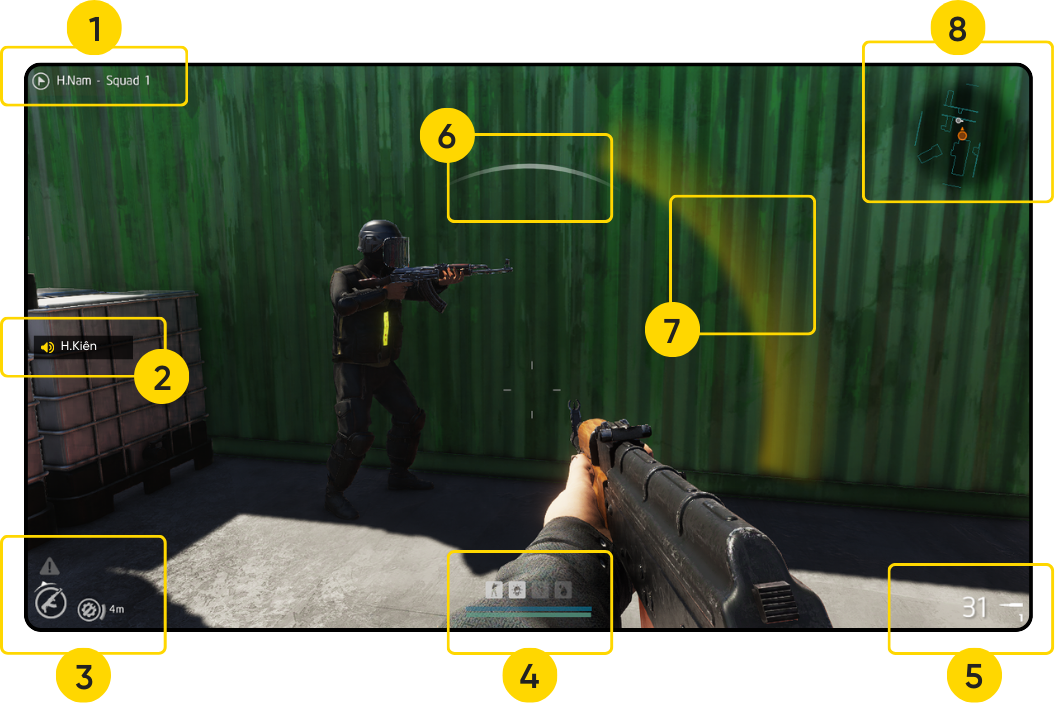
1. Character Information
- Flag icon will light up if the character is the squad leader.
- Character's name, attack squad.
2. Communication Notifications
- Speaker icon: Teammates are nearby, communicating via voice.
- Walkie-talkie icon: Teammates are far away, communicating via walkie-talkie.
3. Teammate and Warning
- Triangle icon: Risk level when not supported by teammates.
- Large circle: Character role, pointing towards the nearest teammate.
- Small circle: Role and viewing direction of the nearest teammate.
4. Character Status
Status icons include: Posture, Lighting Level, Movement/Footstep Status, Bleeding Status.
These indicators affect the enemy's ability to identify the player.
Breath-holding indicator bar: Decreases when aiming and holding breath, decreases sharply after each shot and when running.
Arm fatigue indicator bar: Decreases when aiming, decreases sharply after each shot.
5. Weapon Information
Remaining bullets in the magazine and current firing mode of the weapon.
6. Gunshot Warning
White arc indicates the direction of the enemy's gunshot.
7. Observation Warning
Yellow arc indicates the possibility of being observed by the enemy.
8. Mini Radar
A useful tool that helps player quickly determine location of their teammates.
9. Inventory
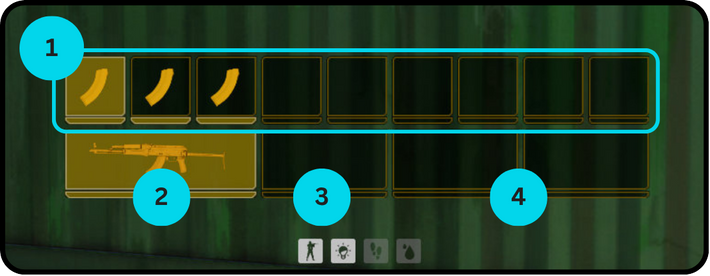
- Selectable slots: Magazines or small items.
- Primary weapon slot: Shows the image and ammo count of the primary weapon.
- Handgun slot: Shows the image and ammo count of the handgun.
- Support tool slot: Other types of support tools.
Basic keybindings
Below is a list of basic controls for the keyboard and mouse. Advanced controls for special modes will be covered in the following sections.
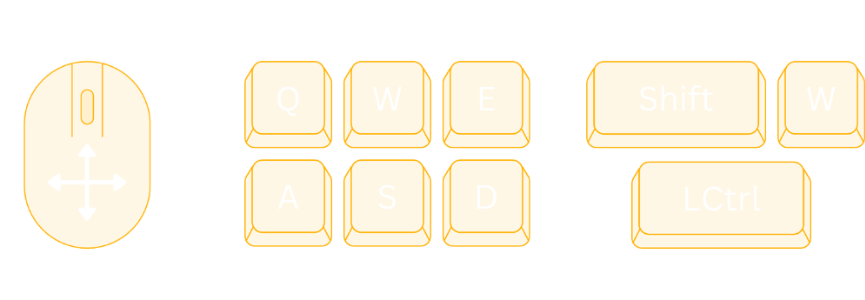
1. Navigation
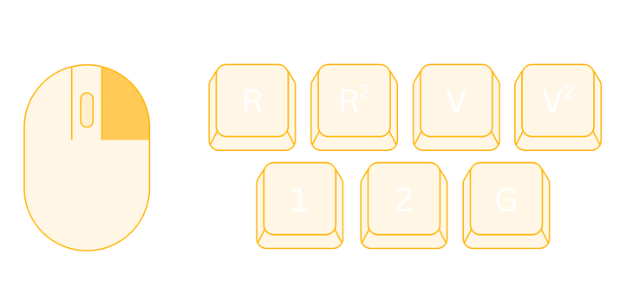
2. Weapons
3. Aiming
When not aiming
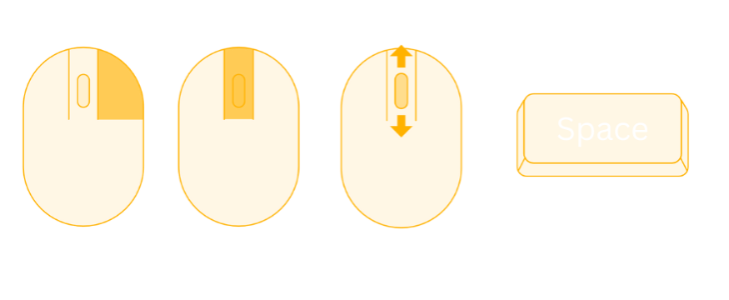
While aiming
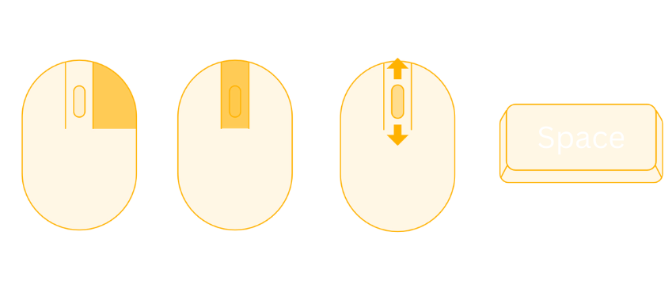
4. Inventory
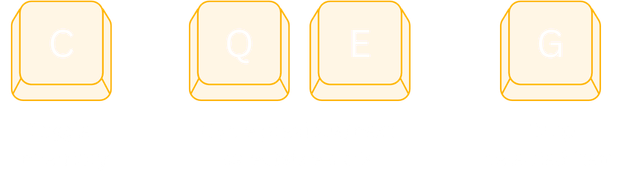
5. Misc
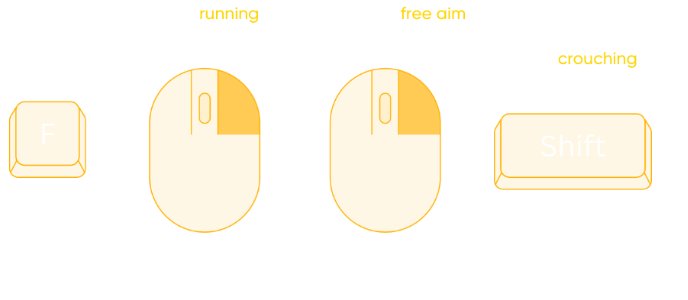
Command System
The command system allows players to issue tactical commands, assign movement positions to teammates to coordinate attacks or defenses according to the situation.
1. Command Modes
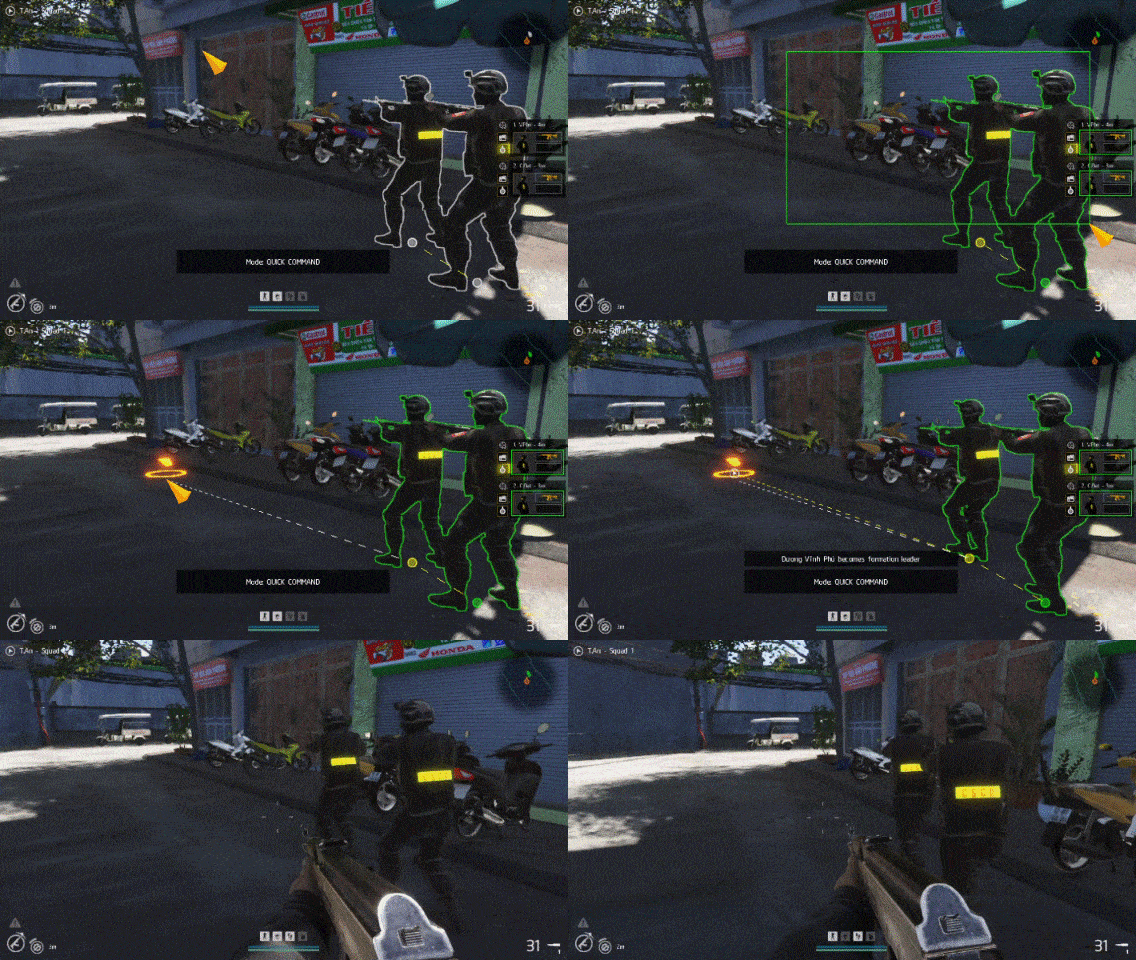
Quick Command
With "Quick Command", players can issue quick instructions to team members within their line of sight.
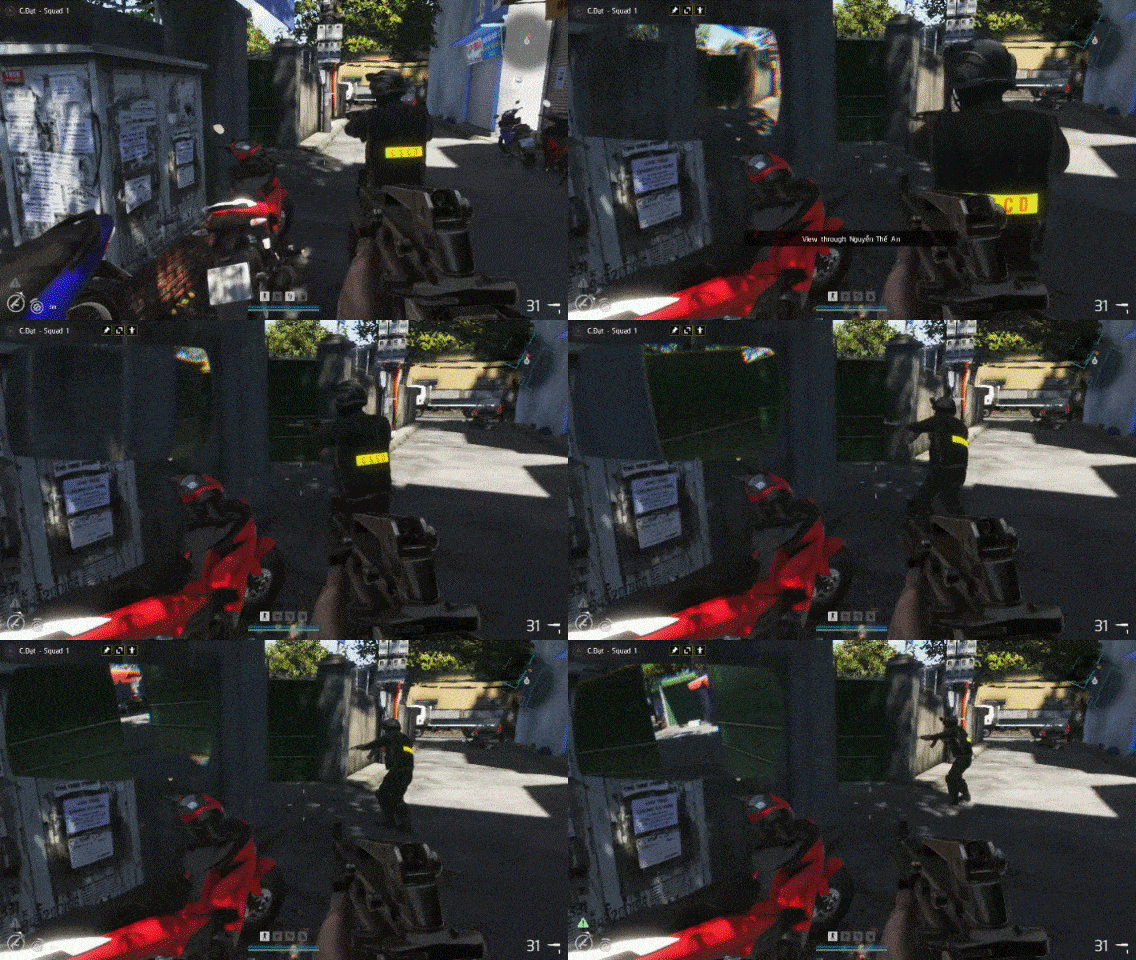
Direct Control
Players directly control an individual teammate without switching to him, helping teammate achieve the correct position or perspective.
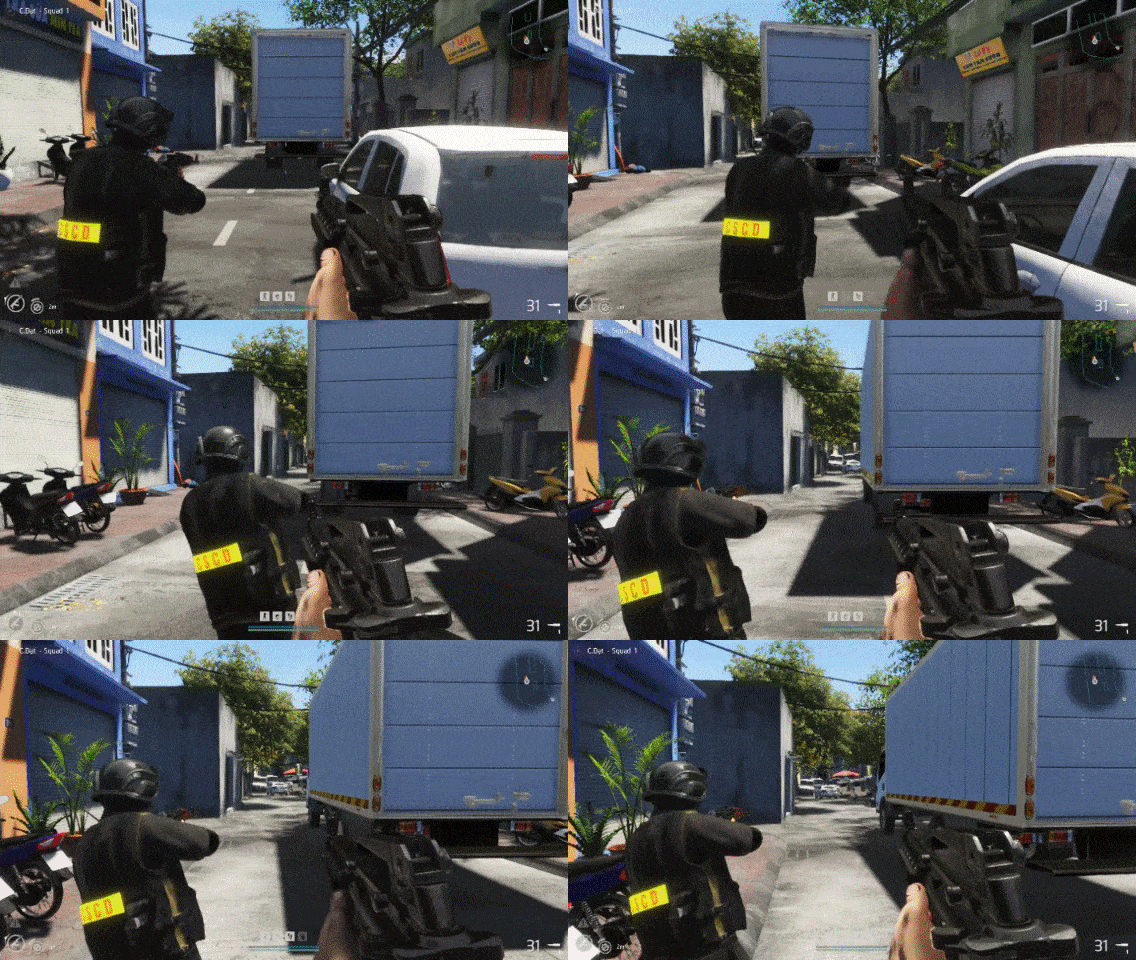
Rear Support
Players approach teammate from behind and move together, helping to control the area in front effectively.
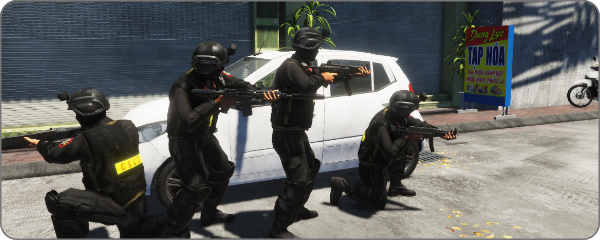
2. Movement Formation
- With groups of 2 or more, characters will deploy in a vertical formation, maintaining close proximity to walls and obstacles while moving. This formation helps reduce the rate of damage taken and increases the ability to support each other.
- When a team member separates from the formation, the characters behind will continue to maintain the formation with the separated character.
"Quick command" mode
1. Activation
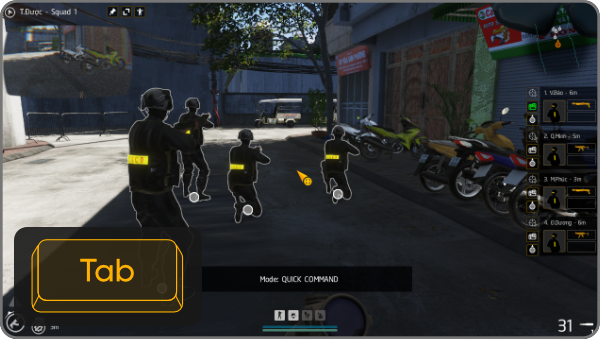
Hold the Tab key to activate "Quick Command" mode. Once activated, the controls will be displayed. The mouse cursor appears for the player to select the characters to be instructed.
You can go to Options > Gameplay > Toggle "Hold" or "Toggle" activate method.
2. Select Character
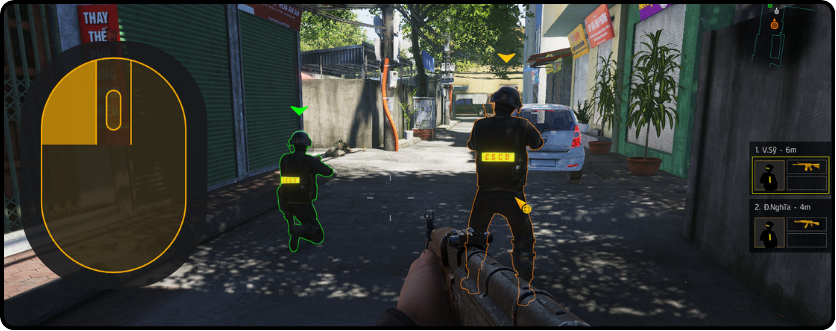
Left click on the character to select. Hold Shift: Add or remove characters from the selection.
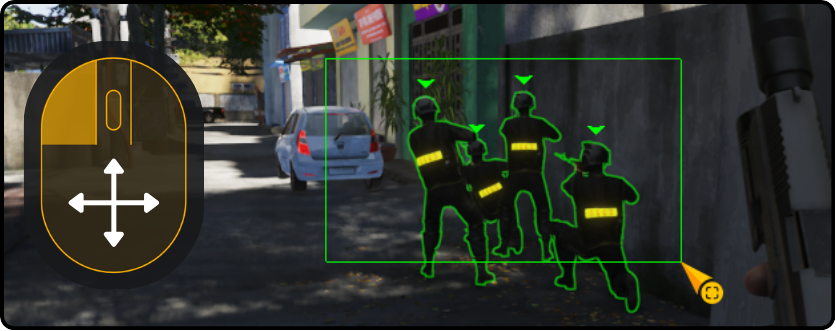
Hold and drag the left mouse button to create a rectangular selection area. The characters inside the rectangle will be selected upon releasing the mouse.
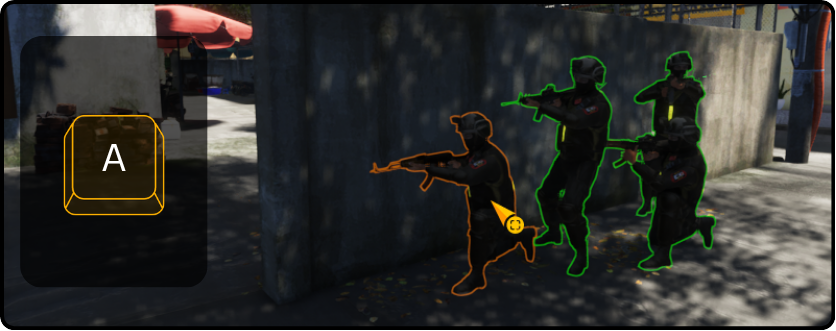
Press A key to select all characters in the same squad regardless of distance.
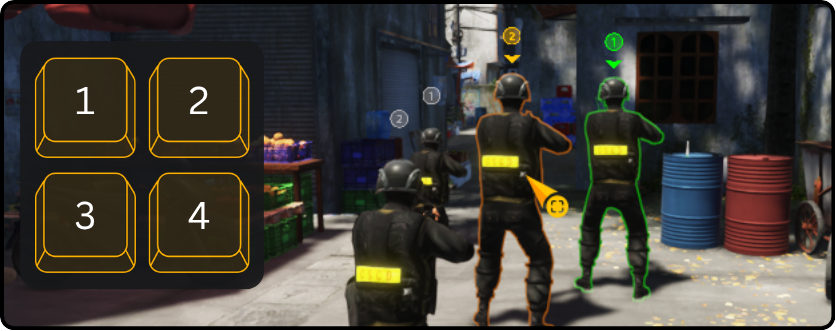
With the characters selected, double tap the 1/2/3/4 key to create a group. Press these numbers to recall the corresponding created group.
3. Types of Commands
Move
- Move the cursor to the position you want to move to.
- Hold and drag the right mouse button: Specify the viewing direction.
- Release the mouse: Confirm the command.
Support Teammate
- Move the cursor over the teammate you want to support.
- Right click: Confirm the command.
Support Me
Press the F key: All selected characters will move in formation and stick to the player's character.
Stop and Hold Position
Press the X key: Characters following the player will stop and hold their current position. This applies to characters being "supported from behind" by the player and can be used outside of "Quick Command" mode.
"Direct control" mode
1. Activation
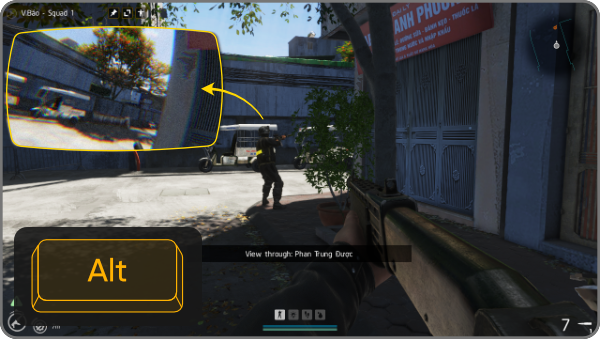
- Hold the Alt key to activate "Direct control" mode.
- The character's helmet camera screen will appear in the upper left corner of the screen.
- If not specified, the character closest to the player will be selected for control.
2. Control
- Use A/S/D/W (move), Q/E (lean) in combination with mouse rotation to control the designated character.
- Scroll the mouse wheel to cycle through controllable characters. Or specify through the "Quick Command" screen by clicking "camera" icon beside character avatar.
- Press the Z key to switch to direct player control.
- The ability to use weapons of the directly controlled character is still controlled by AI, independent of the player.
- This mode helps players quickly grasp the situation of teammates without having to switch the view to that character.
"Rear support" mode
1. Activation
The player approaches from behind a teammate who needs support, press the X key to activate. The player's character and the designated character will then be "connected", moving together and observing the area in front.
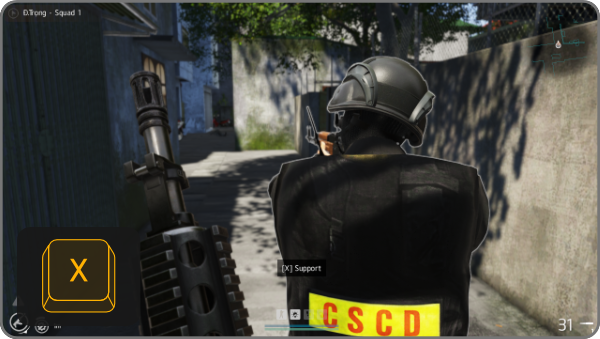
2. Control
- The movement keys A/W/S/D will be transferred to the teammate in front, the player's character will follow behind.
- Double tap Q/E for the teammate to lean.
- Double tap Ctrl for the teammate to sit down.
- Press X to "disconnect" the two characters.
- When moving, the teammate's viewing direction will be synchronized with the player's viewing direction. Press the Z key to turn on/off synchronization.
Aiming methods
The player character approaches teammates from behind and moves together. This mode allows both characters to effectively control the area in front of them.
Default Gun Holding Position
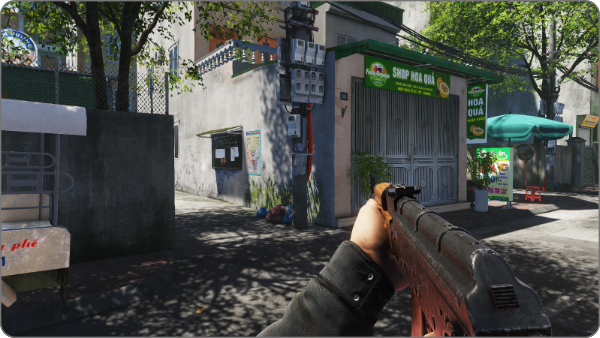
Fire immediately without aiming.
Pros: Useful when a quick reaction is needed.
Cons: Difficult to control recoil because the gun has no support.
Free Aiming
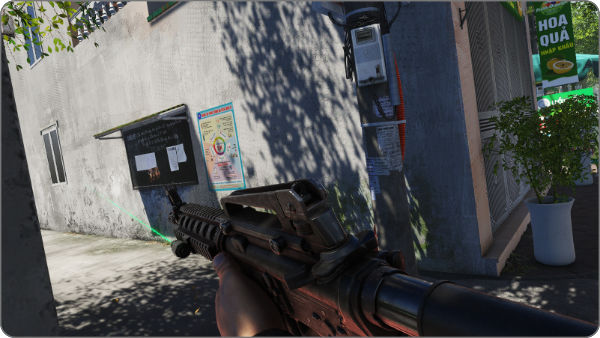
The gun direction is adjusted flexibly while maintaining a stable view. When the maximum angle is reached, players can deploy the "blind spot shooting" method.
Pros: Reduced damage taken thanks to obstacles. Useful in tight spaces when the enemy's position can be estimated.
Cons: Ammo is consumed quickly, difficult to control recoil.
Quick Aiming
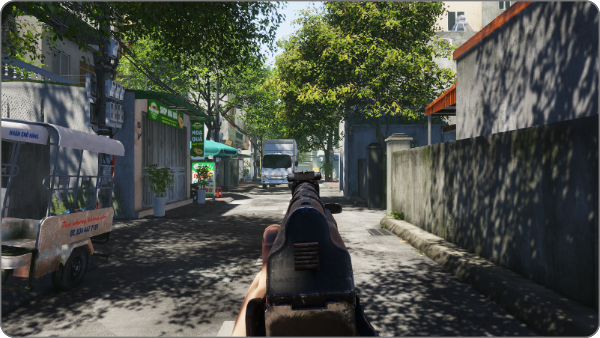
The character puts the butt of the gun on their shoulder and observes the target through the front sight or optical sight.
Pros: Movement speed is balanced with recoil control. Useful when using pistols, SMGs.
Cons: Difficult to control recoil with guns using larger calibers.
Deep Aiming
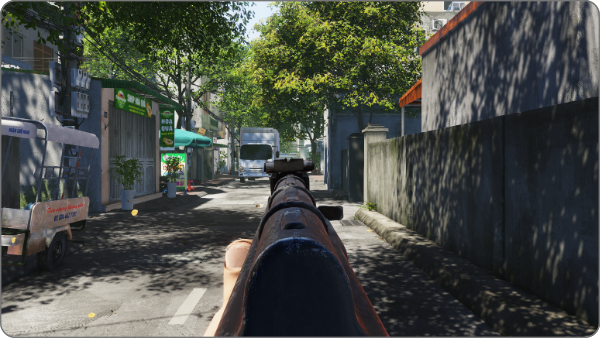
The character firmly presses the gun against their shoulder, focusing on the aiming position.
Pros: Maximum control of gun recoil. Accuracy can be increased by holding breath, without making footsteps.
Cons: Movement speed is greatly reduced.
Canted Aiming
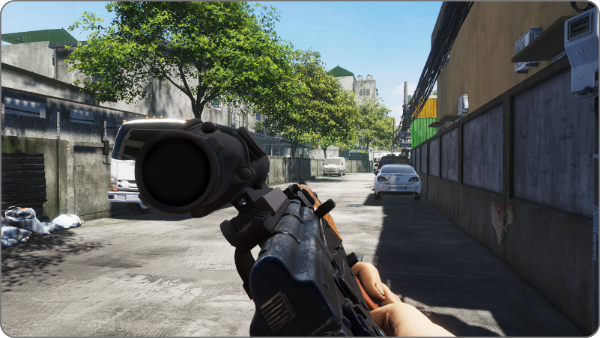
Quickly free up the view when aiming with guns equipped with optical sights when fighting at close range.
Can be combined with "Deep Aiming" or "Quick Aiming" and take advantage of the benefits of these two aiming methods.
As we continue to build and refine this unique gaming experience inspired by Vietnamese culture, we're excited to announce even more features on the horizon. Your thoughts and ideas are invaluable to us, so please share your feedback. Our dedicated team is committed to exploring and integrating community suggestions wherever possible.
Stay connected and never miss an update! Choose your preferred platform below:
A product of Legion Team - Terms of Service