Note: Some features and UI elements mentioned in this guide may not be functional yet.
1. Map Selection
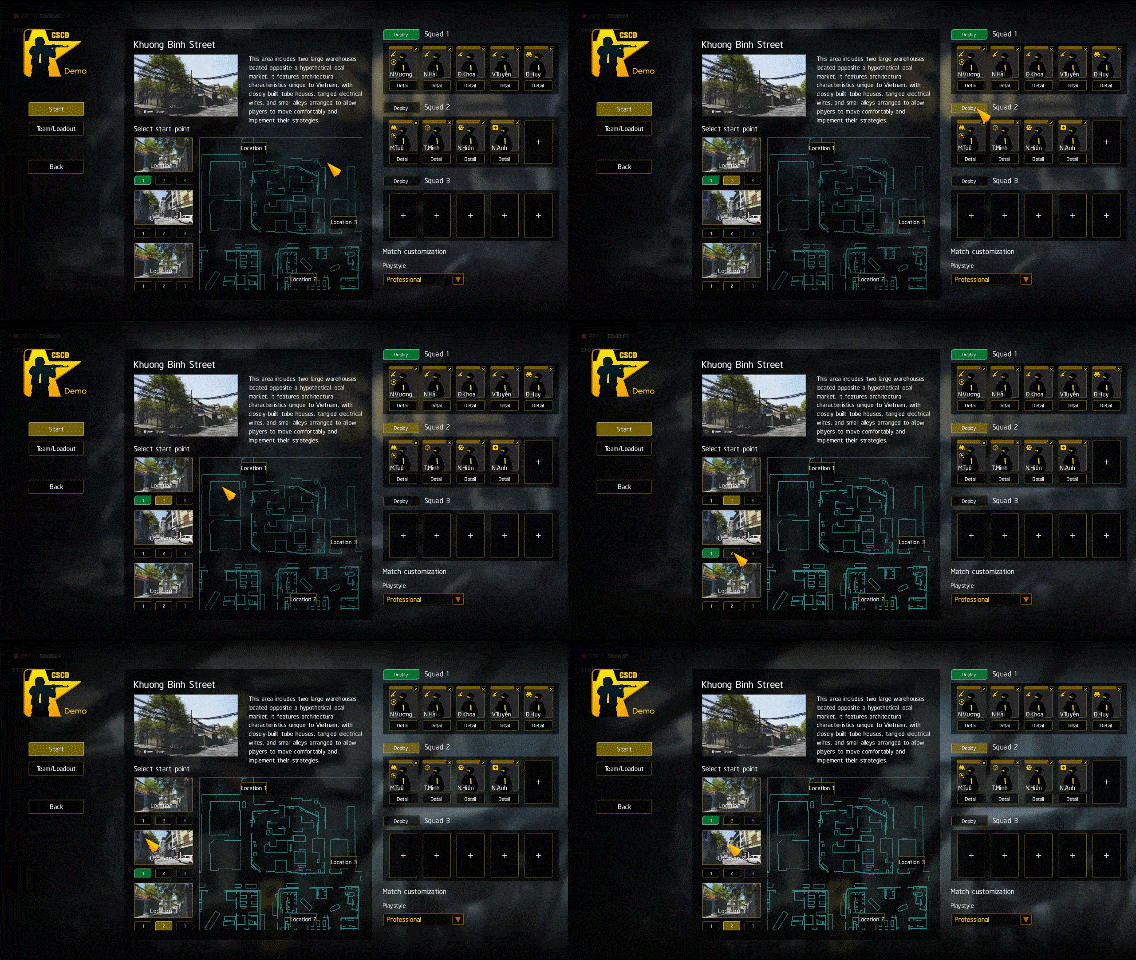
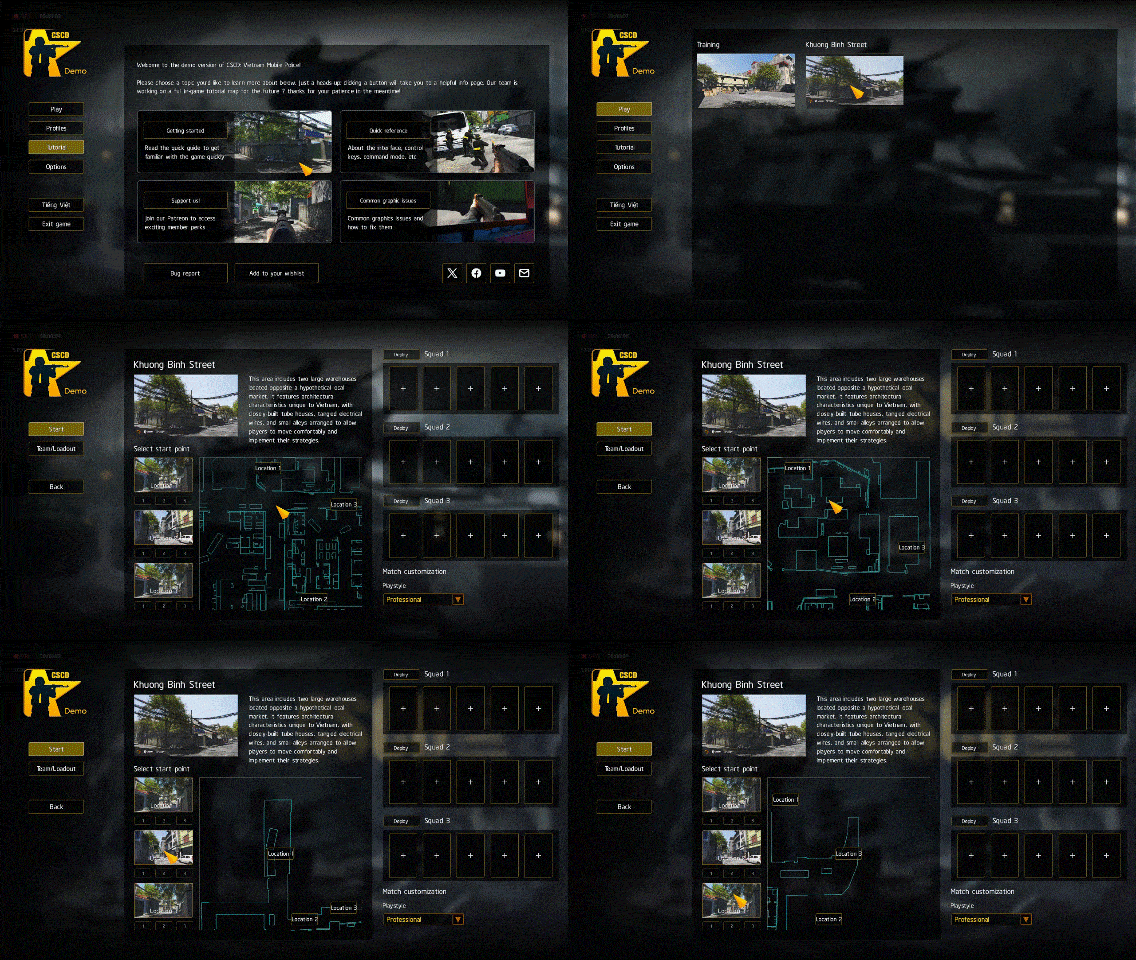
- Click Play to open map list then select map you want to play.
- Each map offers up to 3 starting positions. Click the illustration to view its location on the map to the right.
- Select your squad's spawn point by clicking on numbers 1, 2, 3 below.
- Minimap: Scroll your mouse wheel to zoom in/out. Hold and drag the Right Mouse Button to pan the view.
2. Organizing Squads
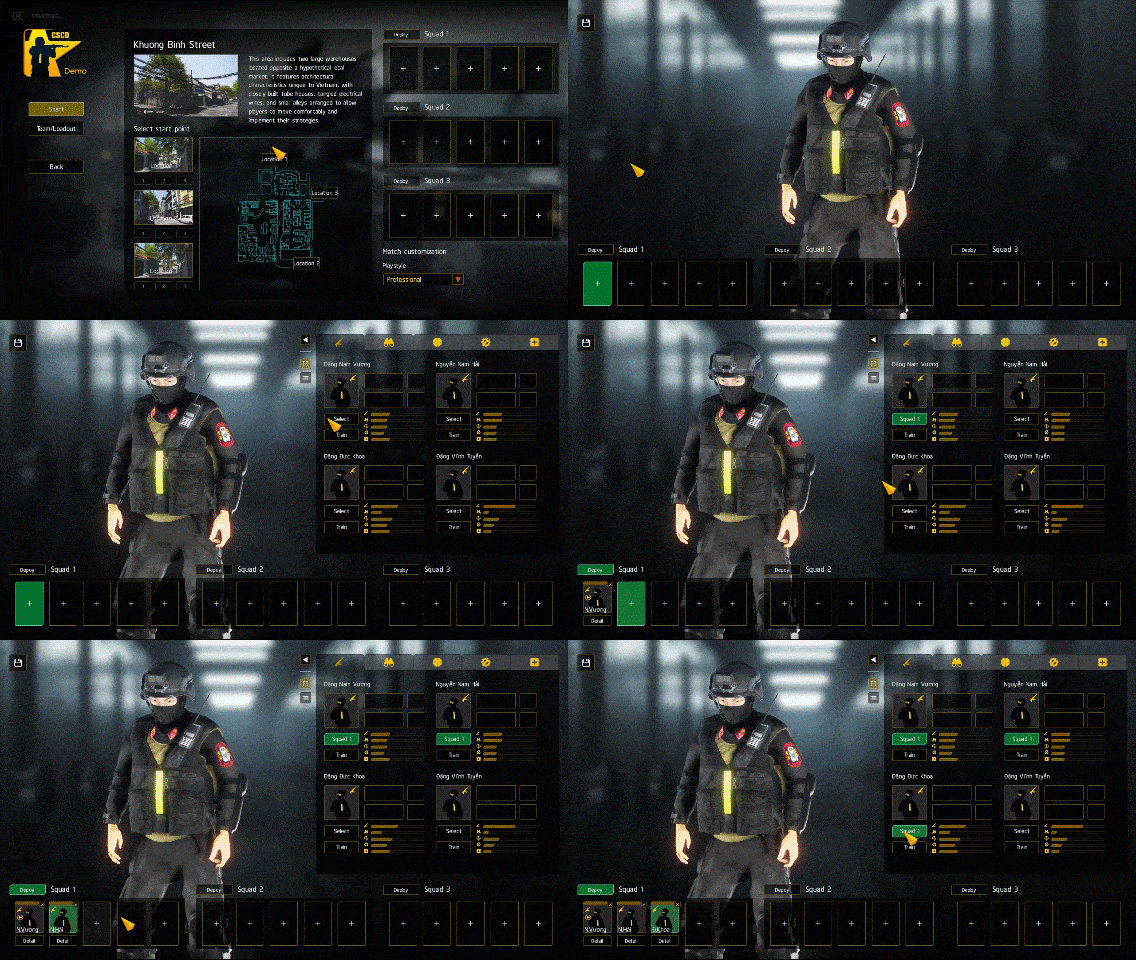
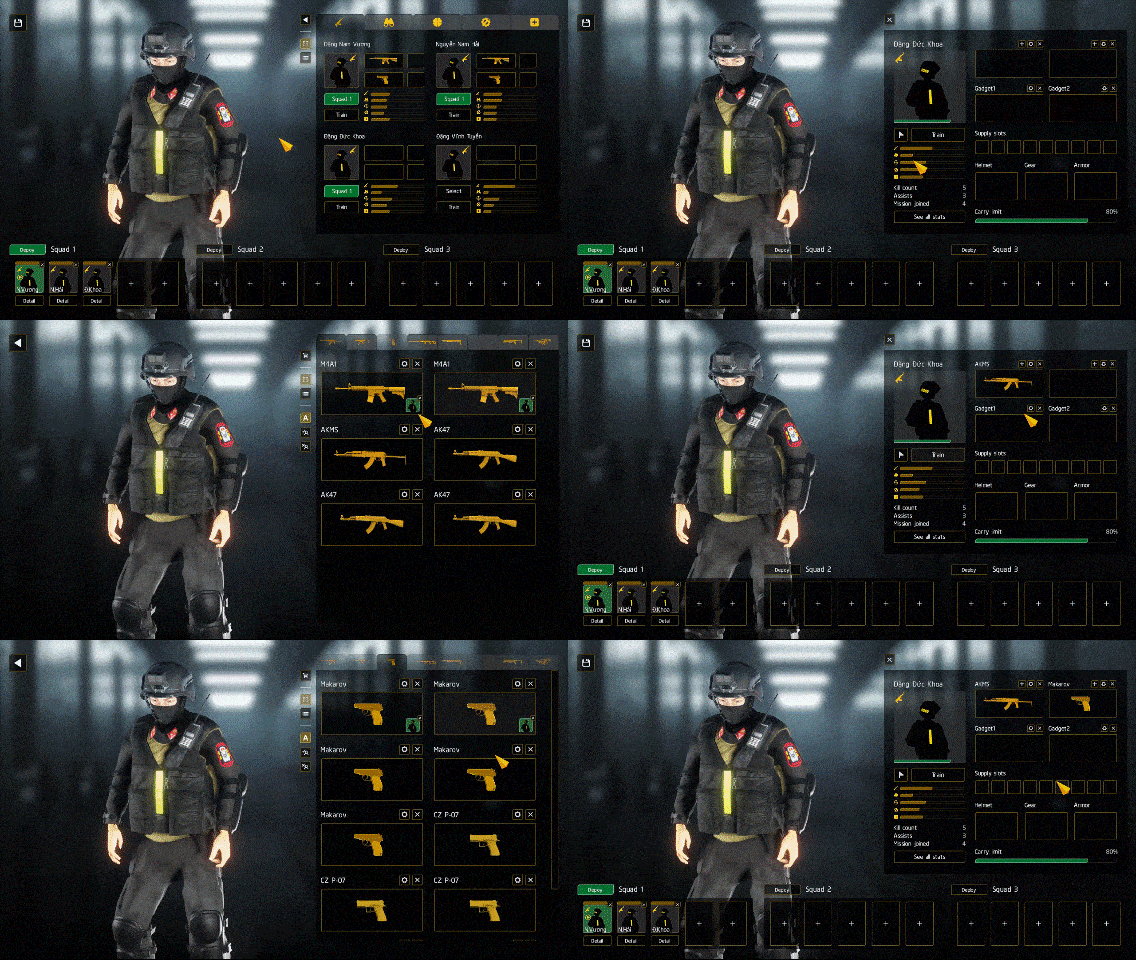
- First, select your desired squad slot.
- From the soldier list, click Select to add the corresponding soldier to the selected slot.
3. Assign Weapons
- Click each soldier's weapon slots to select suitable weapons.
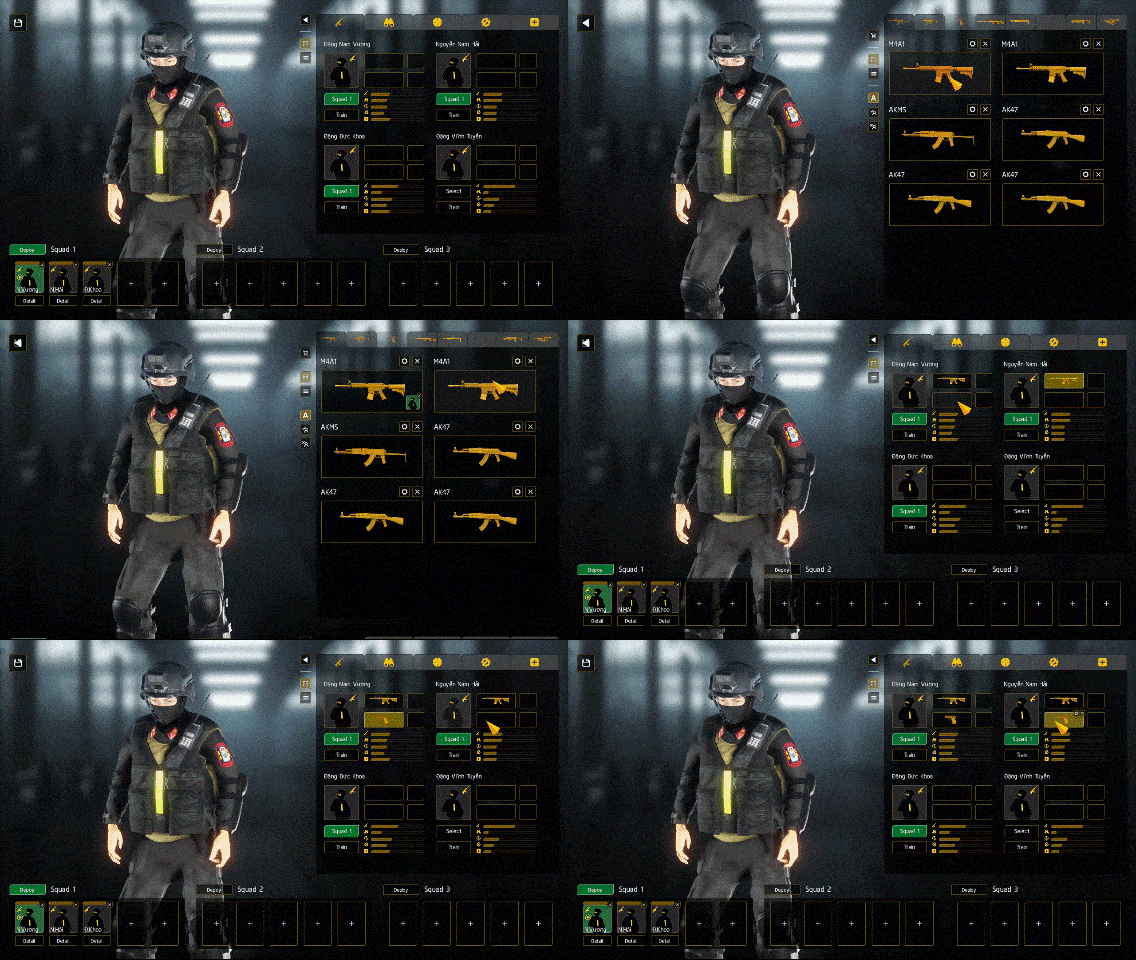
- To view a soldier's detailed information and perform similar operations, click on their portrait.
4. Customize Weapon
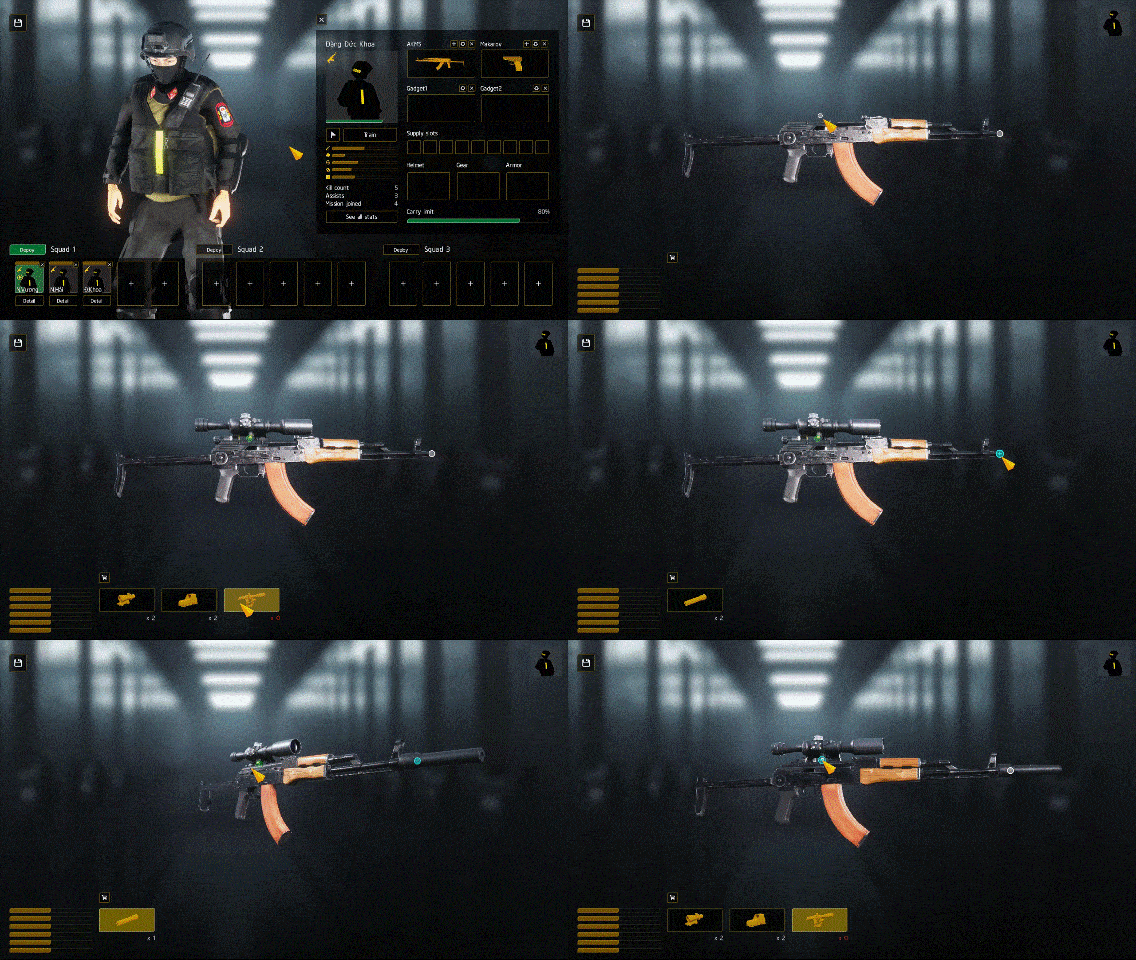
- To configure a weapon, click its corresponding gear icon.
- Select an attachment from the list by clicking on the designated attachment points.
- The position of attachments can be adjusted on certain points, potentially having a noticeable effect on the weapon's handling and overall shooting experience in the game.
5. Select Starting Points
- Once you have your desired squad, return to the map information screen and select the starting positions for each team.
- Click Start to begin the match!