
CSCD: Vietnam Mobile Police
Map selection, organizing squads, customize weapons, attachments
Note: Some features and UI elements mentioned in this guide may not be functional yet.
Return to Getting started
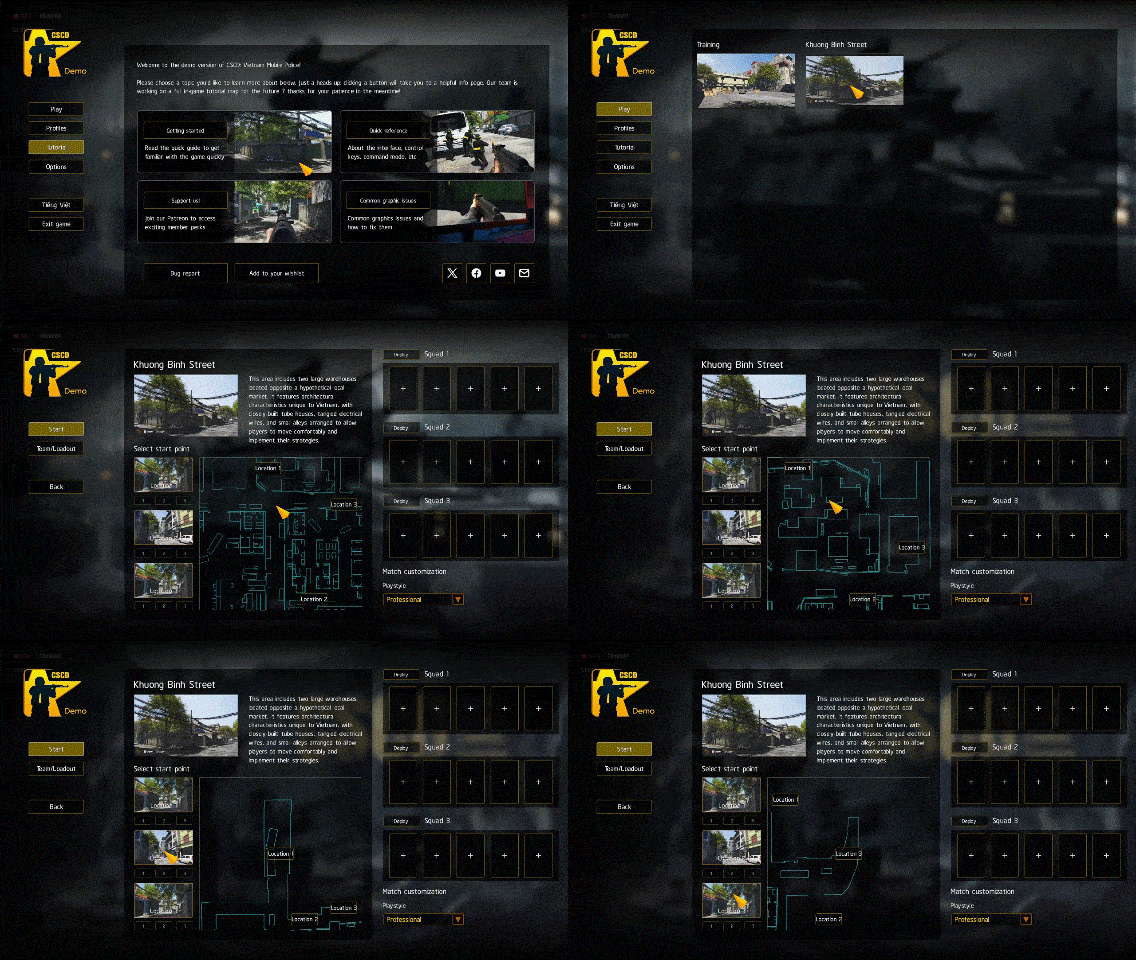
1. Map selection
- Click Play to open map list then select map you want to play.
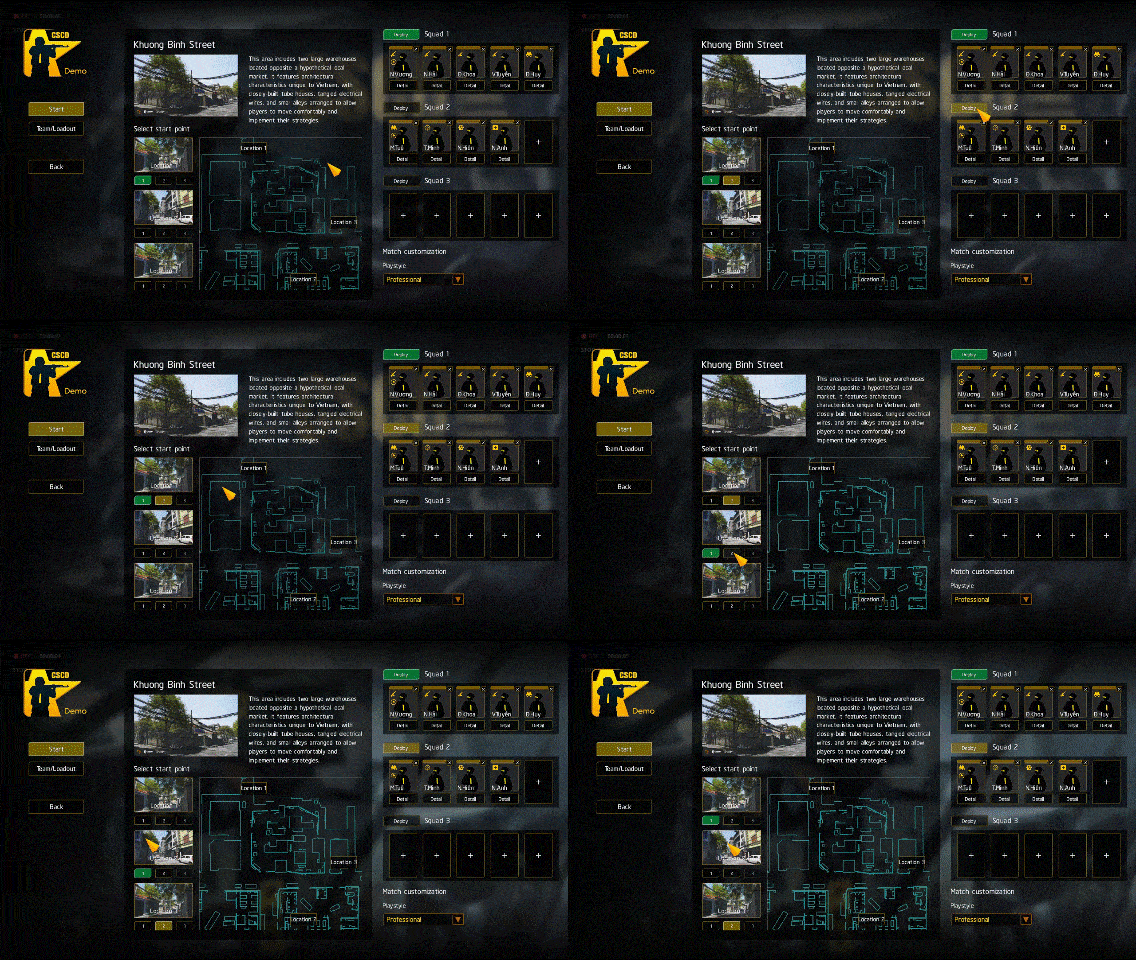
- Each map offers up to 3 starting positions. Click the illustration to view its location on the map to the right.
- Select your squad's spawn point by clicking on numbers 1, 2, 3 below.
- Minimap: Scroll your mouse wheel to zoom in/out. Hold and drag the Right Mouse Button to pan the view.
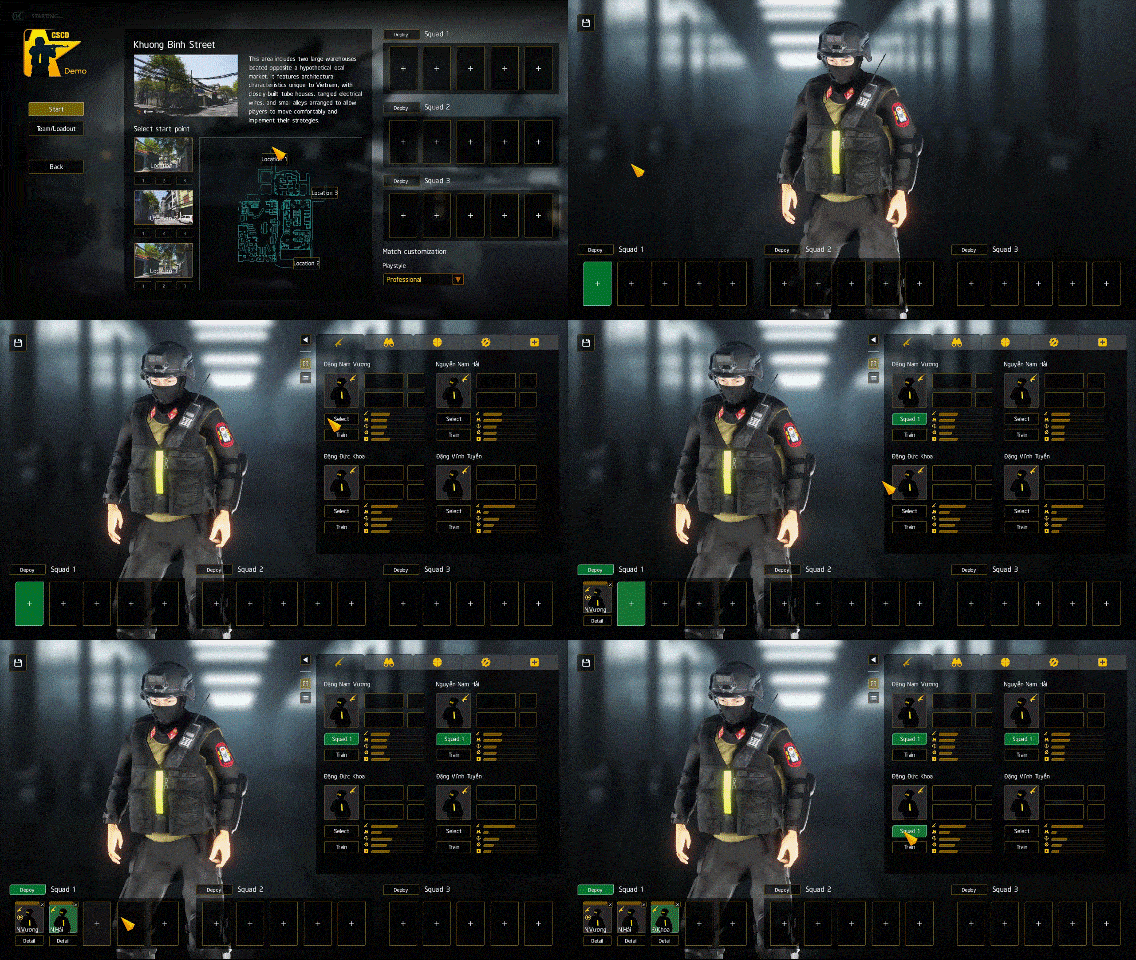
2. Organizing squads
- First, select your desired squad slot.
- From the soldier list, click Select to add the corresponding soldier to the selected slot.
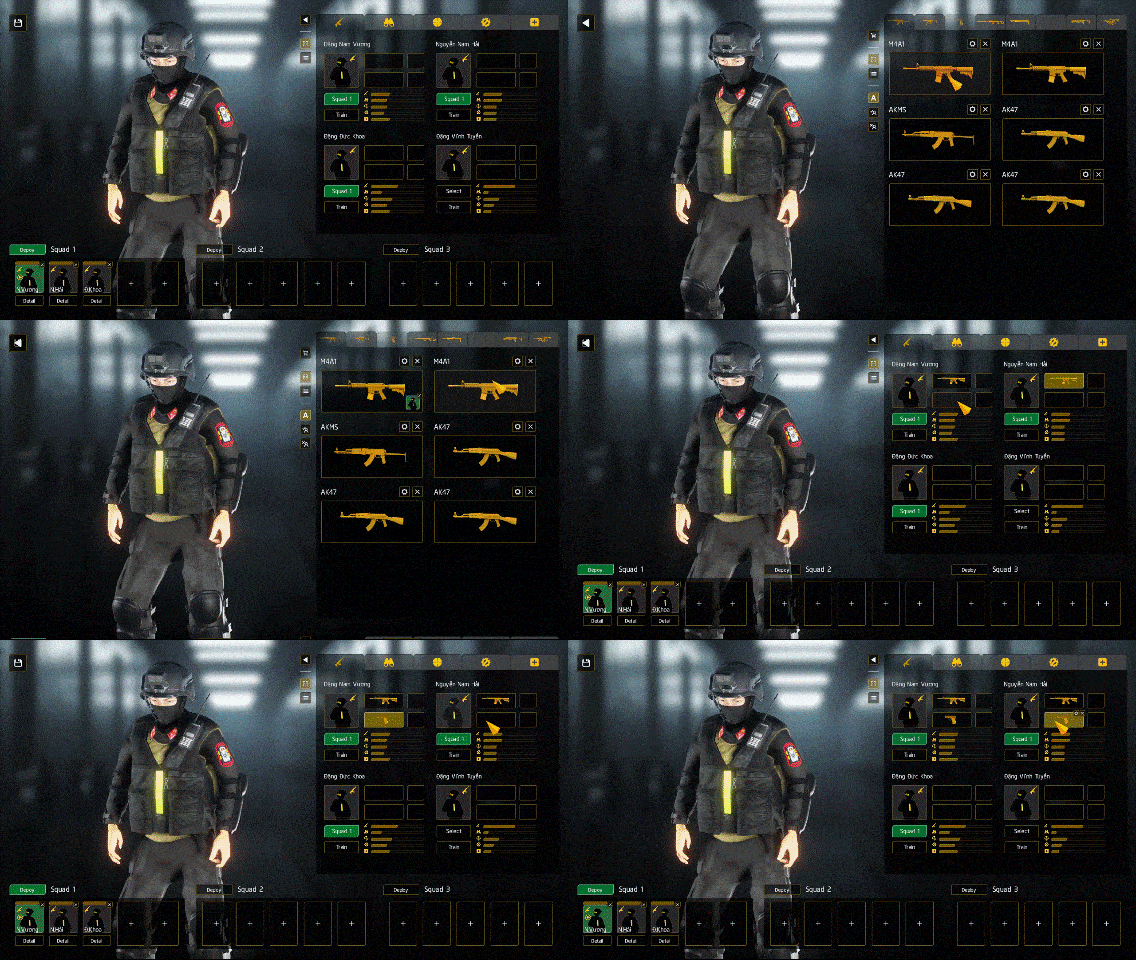
3. Assign weapons
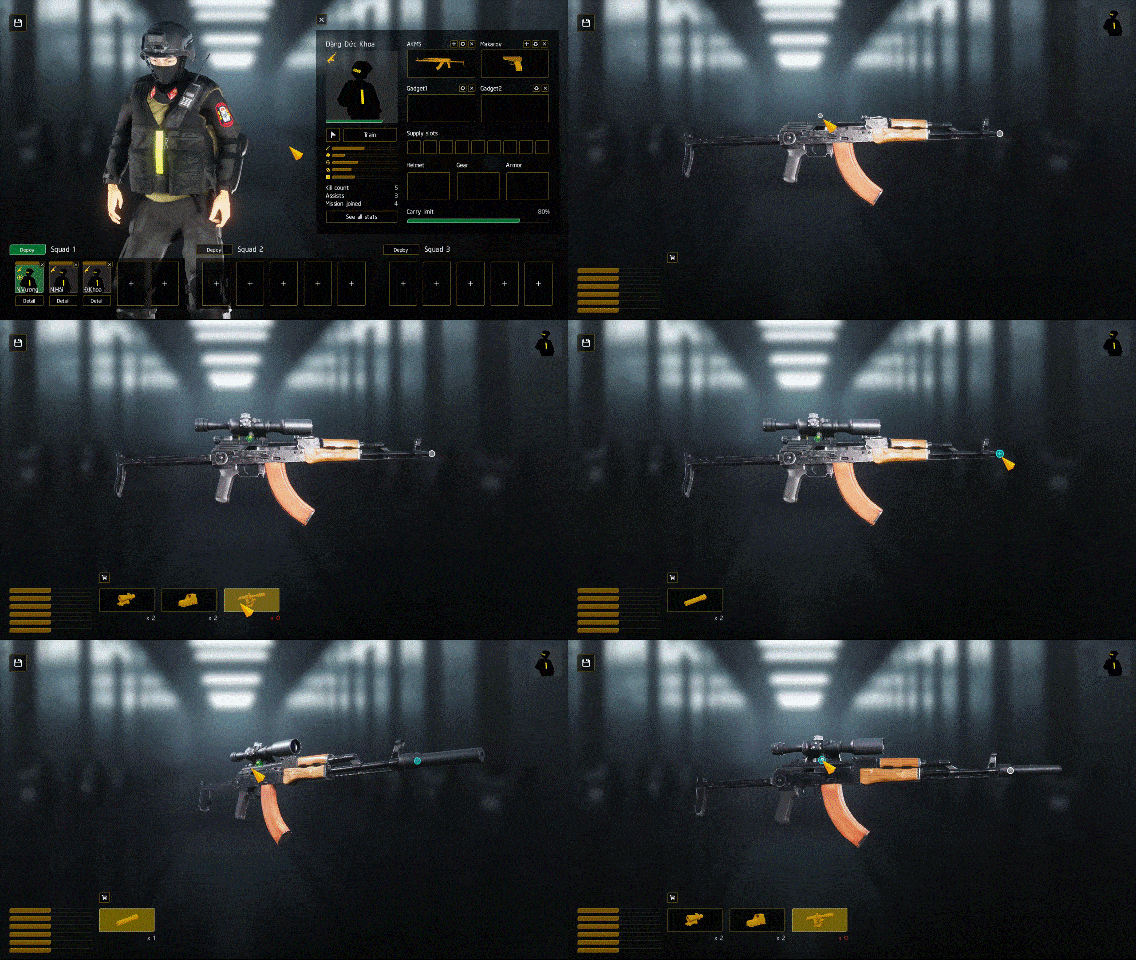
- Click each soldier's weapon slots to select suitable weapons.
- To view a soldier's detailed information and perform similar operations, click on their portrait.
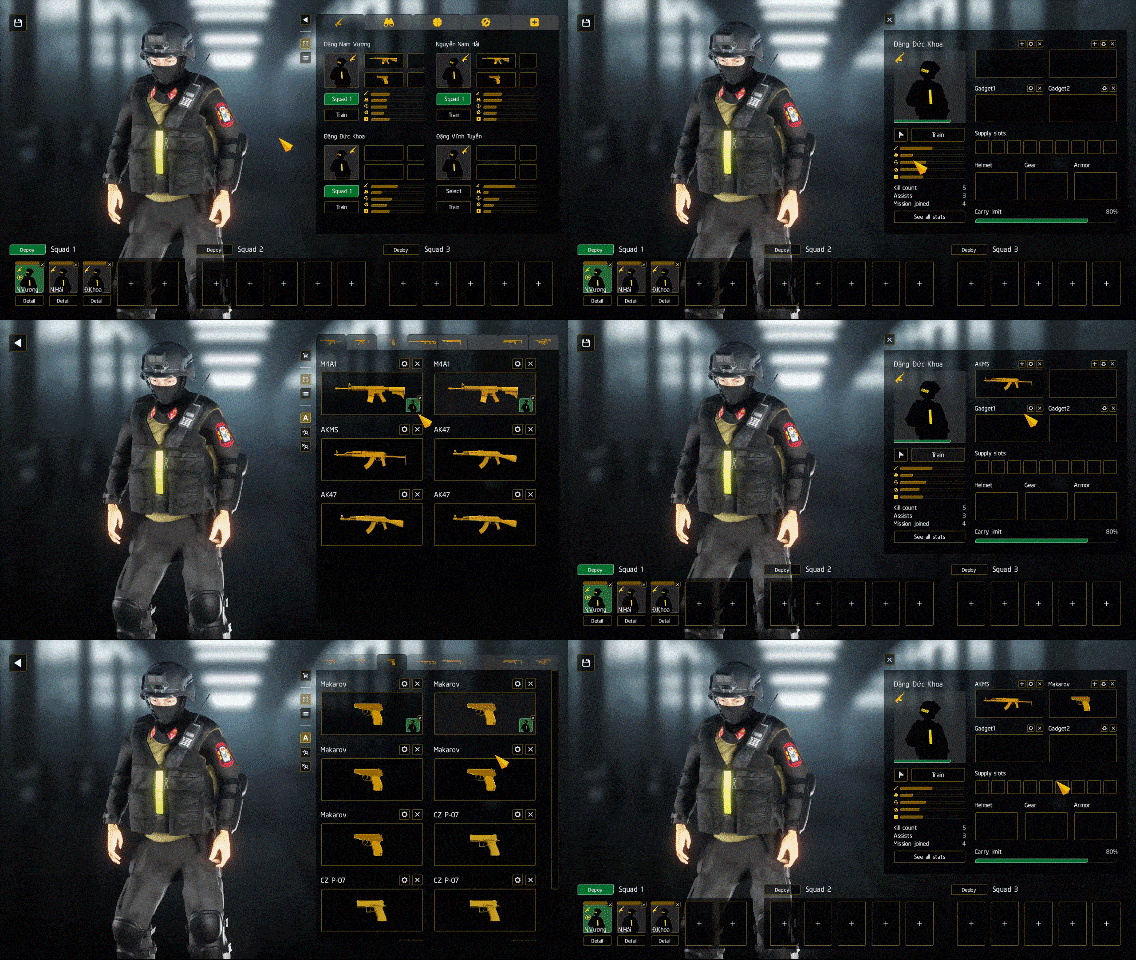
4. Customize weapon
- To configure a weapon, click its corresponding gear icon.
- Select an attachment from the list by clicking on the designated attachment points.
- The position of attachments can be adjusted on certain points, potentially having a noticeable effect on the weapon's handling and overall shooting experience in the game.
5. Select starting points
- Once you have your desired squad, return to the map information screen and select the starting positions for each team.
- Click Start to begin the match!
Return to Getting started
As we continue to build and refine this unique gaming experience inspired by Vietnamese culture, we're excited to announce even more features on the horizon. Your thoughts and ideas are invaluable to us, so please share your feedback. Our dedicated team is committed to exploring and integrating community suggestions wherever possible.
Stay connected and never miss an update! Choose your preferred platform below:
A product of Legion Team - Terms of Service